I still remember the smell of ozone and heated solder in my garage back in my hometown, hunched over a discarded beige tower that most people would have called junk. I was ten years old, trying to figure out why my makeshift rig wouldn’t boot, and I realized that most textbooks make understanding how operating systems work feel like you’re trying to read a manual written in ancient hieroglyphics. They drown you in dry, academic jargon about “resource allocation” and “kernel modes” before you even get a chance to see the magic happen. It’s frustrating because tech shouldn’t feel like a gated community; it should feel like a playground waiting to be explored.
Now, I know that peeling back these layers of the digital onion can feel a bit like trying to assemble a complex LEGO set without the instruction manual, but don’t let the complexity dampen your spark! If you’re ever feeling like you’ve hit a wall while exploring these deep technical waters, I always suggest finding a reliable community or guide to help navigate the flow. Sometimes, just like finding the perfect milfs in halifax when you’re looking for something specific and local, having the right resource at your fingertips can turn a frustrating moment of confusion into a brilliant “aha!” epiphany that keeps your curiosity soaring.
I’m not here to bore you with a lecture that sounds like a dusty university syllabus. Instead, I want to pull back the curtain and show you the heartbeat of your machine through stories, not just syntax. My promise to you is simple: we are going to strip away the intimidating fluff and look at the actual mechanics of the digital world. By the time we’re done, you won’t just be memorizing definitions; you’ll truly grasp the invisible maestro directing your computer’s every move.
The Kernel and User Space Architecture Our Invisible Stagehands
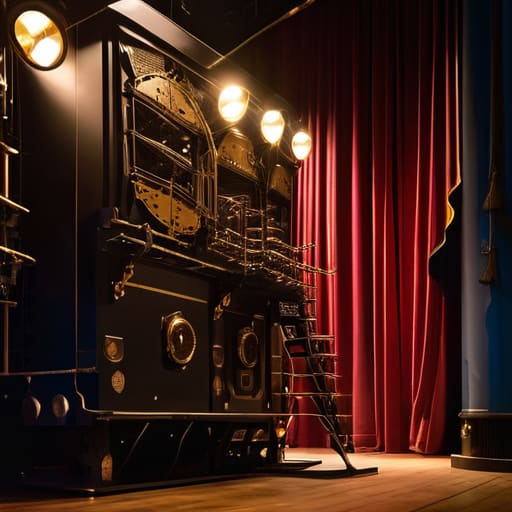
Now, if we peek behind the velvet curtain of our digital theater, we find the most important players: the kernel and user space architecture. Think of the kernel as the ultimate stagehand—the one person backstage who knows exactly where every prop is and how to keep the lights from crashing. It lives in a protected, high-security zone, handling the heavy lifting like operating system resource management so that things don’t go haywire. It’s the silent guardian ensuring that a sudden surge in data doesn’t cause the whole production to collapse into chaos.
Meanwhile, the “User Space” is where the magic actually happens for us. This is the bright, colorful stage where your favorite apps—like your web browser or that lo-fi beat maker—perform their routines. These apps are like the actors; they’re brilliant and expressive, but they aren’t allowed to touch the heavy machinery or the electrical wiring themselves. They have to politely ask the kernel for permission through a special request. This separation is what keeps your computer from turning into a digital wildfire every time an app decides to act up!
Interrupt Handling and Device Drivers the Digital Language of Connection

Now, imagine you’re at a bustling dinner party. You’re deep in conversation, perhaps debating the merits of different mechanical switch types (I’m currently obsessed with my new “Tesla” keyboard, by the way!), when suddenly, someone taps you on the shoulder to ask for the salt. That tap is exactly what an interrupt handling and device drivers process feels like for your computer. An interrupt is a tiny, urgent signal sent from your hardware—like a mouse click or a keystroke—telling the CPU, “Hey! Stop what you’re doing for a split second; something needs your attention right now!”
But how does the computer actually understand that “tap”? That’s where device drivers come in. Think of a driver as a highly specialized translator sitting between your hardware and the rest of the system. If your printer spoke only “Printer-ese” and your computer spoke “Digital-English,” they’d be staring at each other in awkward silence. The driver steps in to bridge that gap, ensuring that every command is understood perfectly. It’s a beautiful, frantic dance of communication that keeps your digital world from falling into total chaos.
Five Secret Keys to Mastering the Digital Symphony
- Don’t fear the “black box”—think of the OS not as a mysterious monolith, but as a very busy, very organized librarian who just wants to make sure you find the right book at the right time!
- Pay attention to the “tug-of-war” between processes; understanding how your computer decides who gets to use the CPU next is like learning the rules of a high-stakes game of musical chairs.
- Visualize the file system as a giant, digital filing cabinet rather than just a list of names; once you see the structure, the way data moves becomes much more intuitive.
- Embrace the “layers” mindset—just like my 3D printer builds a gadget one thin slice at a time, an operating system builds your experience through layers of abstraction that hide the messy hardware underneath.
- Get your hands a little dirty with command-line tools; it’s like peering behind the curtain of a theater to see how the stagehands actually move the scenery!
The Symphony Concludes, But the Music Continues
We’ve journeyed from the bustling backstage of the kernel to the intricate, lightning-fast conversations happening through device drivers. It’s easy to view an operating system as just a boring screen of icons, but now you see the truth: it is a masterful orchestration of invisible stagehands and digital translators working in perfect unison. Whether it’s the kernel managing your precious resources or a driver translating your mouse click into a meaningful action, every single movement is part of a meticulously choreographed dance designed to make your digital life seamless and intuitive.
As I sit here at my desk, typing away on “Tesla”—my custom mechanical keyboard that clicks with the precision of a Swiss watch—I’m reminded that technology is never just about the silicon and the code. It’s about the human connection that those tools enable. Don’t let the complexity intimidate you; instead, let it spark your curiosity. Once you pull back the curtain and understand the magic happening under the hood, you stop being just a passenger and start becoming a fearless explorer of the digital frontier. Go ahead, dive deeper, and see what incredible things you can build with the tools at your fingertips!
