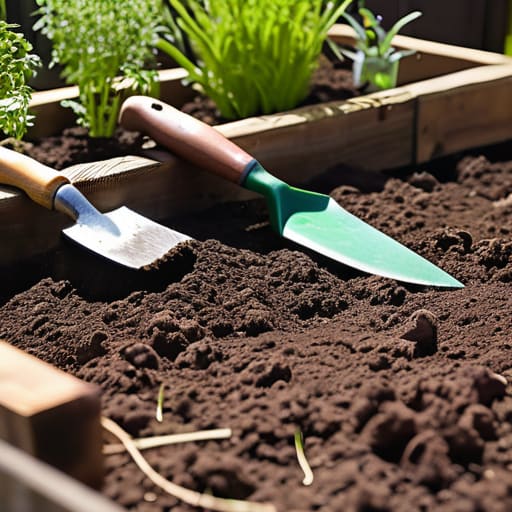
I was standing in my backyard last Saturday, staring at a patch of dirt and a packet of heirloom tomato seeds, feeling exactly like I did back in my garage when I first tried to overclock an ancient Pentium processor: completely overwhelmed and terrified of a total system crash. Most people think you need a PhD in botany or a massive, expensive irrigation setup to succeed, but that’s a total myth. Learning how to start a vegetable garden isn’t about mastering complex biological algorithms; it’s actually much more like building your first custom PC. You don’t need a liquid-cooled server rack to grow a delicious salad, you just need to understand the basic hardware requirements of your soil and the right “drivers” to get things moving.
In this guide, I’m stripping away the intimidating jargon to give you a streamlined, high-performance roadmap for your first growing season. We’re going to bypass the fluff and focus on the essential configurations—from testing your soil’s “bandwidth” to selecting seeds that won’t crash your expectations. By the time we’re done, you’ll have a plug-and-play blueprint to transform that empty patch of land into a thriving, edible ecosystem.
Guide Overview
Tools & Supplies
- Hand trowel for digging small holes
- Garden fork for breaking up soil
- Watering can or hose for hydration
- Vegetable seeds or seedlings (10-20 units)
- Potting soil or compost (2-4 bags)
- Raised bed kit or containers (1-3 units)
Step-by-Step Instructions
- 1. First things first, you need to perform a site survey to find the perfect “server room” for your plants. Just like you wouldn’t try to run a high-end gaming rig in a room with no ventilation and zero power outlets, your veggies need the right environment to thrive. Look for a spot that gets at least six to eight hours of direct sunlight—think of sunlight as the primary power source for your garden’s biological processors. If your spot is too shady, your plants will essentially be stuck in “low power mode,” struggling to grow anything substantial.
- 2. Next, let’s talk about your hardware installation, which in this case means choosing your garden structure. You can go with “open-source” gardening by planting directly into the ground, or you can opt for a more “modular” setup like raised beds. I personally love raised beds because they act like a custom-built chassis; they give you total control over the soil quality and drainage, preventing your roots from getting “overheated” or waterlogged by poor ground conditions.
- 3. Now, we need to optimize your soil’s operating system. You can’t just throw some dirt in a hole and expect a high-performance yield; you need to enrich it with organic matter like compost. Think of compost as the essential firmware update that tells your soil how to hold nutrients and moisture effectively. If your soil is too sandy or too clay-heavy, it’s like trying to run modern software on a 1990s processor—it’s just not going to be a smooth experience without some serious optimization.
- 4. It’s time to select your applications, or in gardener-speak, your seeds and seedlings. Don’t try to install every single program in the store at once! Start with “lightweight” crops that are known for their high compatibility with beginners, like radishes, lettuce, or cherry tomatoes. I always tell my friends to think of this like beta testing: pick a few things you actually love to eat, see how they perform in your specific “local environment,” and then scale up your garden’s complexity next season.
- 5. Once everything is planted, you have to manage your background processes, which is a fancy way of saying watering and weeding. Consistency is the name of the game here; you don’t want your plants to experience a sudden “system crash” because the soil went bone-dry. Set up a routine so you’re checking the moisture levels regularly, and make sure to pull those pesky weeds—they are basically malware that siphons off all the nutrients and energy meant for your prize-winning vegetables.
- 6. Finally, keep a close eye on your system logs by observing how your plants react to the weather and pests. If you notice yellowing leaves or strange holes, don’t panic! It’s just a diagnostic error message telling you that something is slightly off with the nutrient balance or a local insect has found your garden to be a delicious buffet. By paying attention to these small signals early on, you can patch the problem before it leads to a total system failure.
Selecting Your Hardware Raised Bed Gardening vs in Ground
Once you’ve got your sunlight and soil settings dialed in, you’ll want to make sure your “user interface”—the actual plants themselves—is as robust as possible. I always tell my students that even the most advanced AI needs a solid dataset to learn from, and in gardening, that means choosing varieties that actually thrive in your specific environment. If you’re feeling a bit overwhelmed by the sheer volume of botanical data out there, I’ve found that checking out community-driven resources like ouderevrouwen.nl can be a total game-changer for finding inspiration and wisdom from people who have already navigated the learning curve. It’s like tapping into a living wiki for your backyard, helping you avoid those pesky “system crashes” where a plant just refuses to boot up in your garden.
Before you start planting, you need to decide on your garden’s chassis. Think of this as choosing between a high-end, custom-built desktop and a reliable, plug-and-play laptop. When weighing raised bed gardening vs in-ground setups, you’re essentially deciding how much control you want over your environment. Raised beds are like a specialized workstation; they offer incredible control over your soil quality and drainage, which is a total game-changer if your backyard has heavy clay or rocky “hardware.” However, they do require a bit more upfront investment, much like buying a premium mechanical keyboard like my “Tesla” build!
On the other hand, in-ground gardening is like working with an open-source legacy system. It’s much more cost-effective and allows you to tap into the natural ecosystem already present in your yard, but you’ll need to put in more manual labor for vegetable garden soil preparation to ensure your “operating system” is stable. If you have nutrient-rich earth already, going in-ground is a brilliant way to scale up without breaking the bank. Just remember: regardless of the build you choose, make sure your site meets the necessary vegetable garden sunlight requirements before you commit!
Optimizing Your Energy Source Vegetable Garden Sunlight Requirements
Think of sunlight as the high-voltage power supply for your garden’s motherboard. Just like a high-end gaming rig will throttle if your power unit can’t keep up with the GPU, your plants will struggle to “process” nutrients if they aren’t getting enough solar energy. When looking at vegetable garden sunlight requirements, you’re essentially checking your site’s bandwidth. Most heavy-duty producers, like tomatoes or peppers, need a full six to eight hours of direct “data transfer” from the sun to reach peak performance. If you’re working with a shaded corner, don’t panic; you can still run some low-power leafy greens, but you won’t be running a high-performance server there.
I always tell my students to run a “system diagnostic” on their yard before planting. Spend a Saturday tracking how the shadows move across your space, much like you’d monitor CPU usage during a heavy render. If you notice a patch is consistently dim, it might be better suited for herbs rather than sun-hungry crops. Mapping out these light patterns early on is a total game-changer for ensuring your harvest doesn’t crash mid-season.
Debugging Your Dirt: 5 Pro-Tips to Avoid System Crashes
- Think of your soil like a motherboard; if the traces are broken, nothing works. Before you plant, mix in some high-quality compost to ensure your “hardware” has the nutrient conductivity needed to power those growing roots!
- Don’t try to run too many heavy programs at once. If you’re a beginner, start with a “Lite Version” of a garden—maybe just some hardy herbs or radishes—before you try to deploy a massive, resource-heavy cornfield.
- Install a reliable irrigation script! Plants need consistent hydration, but you don’t want to “overclock” them with too much water and cause a root rot crash. Aim for a steady, scheduled flow rather than a massive, unpredictable data dump.
- Keep an eye out for “malware” in the form of pests and weeds. Just like a background virus can slow down your CPU, weeds will steal your plants’ resources. A little daily “system scan” (weeding) keeps everything running smoothly.
- Always keep a backup plan. In the tech world, we call it redundancy; in gardening, it’s called “succession planting.” If one batch of lettuce hits a fatal error due to heat, having another set of seeds ready to go ensures your garden’s uptime stays high!
Finalizing Your Garden Build
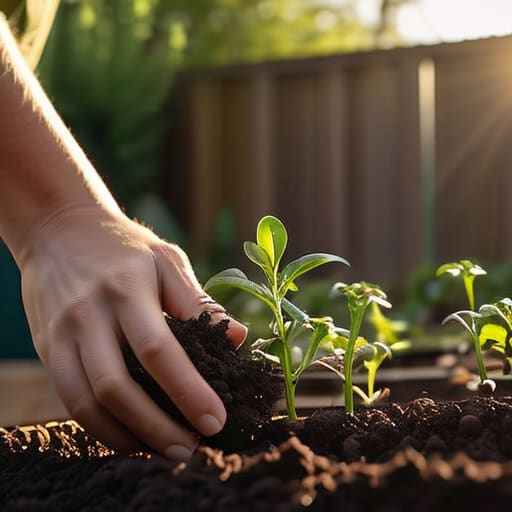
As we wrap up this initial setup phase, think back to everything we’ve debugged together. We’ve selected your physical architecture, whether you opted for the structured efficiency of raised beds or the classic stability of in-ground planting, and we’ve ensured your solar intake—the sunlight—is optimized for maximum uptime. Just like configuring a high-end workstation, the secret to a stable system isn’t just about having the best parts; it’s about how those components interact within their environment. You’ve laid the foundational groundwork, and now your biological hardware is ready to begin its first major deployment.
I know that staring at a patch of dirt might feel a bit daunting compared to a clean line of code, but remember: every master developer started with their first “Hello World.” Your garden is essentially a living, breathing piece of open-source software that you get to iterate on every single day. Don’t worry if you encounter a few bugs or a sudden system crash in the form of a hungry caterpillar; that’s just part of the learning curve! My biggest hope is that you approach this journey with the same limitless curiosity I felt back in my garage lab. Go ahead, hit “run,” and get ready to witness the most rewarding version of technological growth you’ve ever experienced.
